
WordPress Page Builders

PAGE
By PAGE Editor
Building a website can feel overwhelming. WordPress gives you the flexibility to create almost anything, but coding every page from scratch can take a lot of time. That is where WordPress page builders come in. These tools let you design pages visually with drag-and-drop simplicity. They save hours and let you get professional results without writing code.
Page builders are not only for beginners. Even experienced website developers use them to speed up their workflow, keep designs consistent, and experiment with layouts easily. In this article, we will explain what page builders do, what features matter most, the top builders for 2025, and how to choose the one that fits your website.
What is a WordPress Page Builder?
A WordPress page builder is a plugin or tool that lets you design website pages visually. Instead of coding every element manually, you can arrange text blocks, images, buttons, forms, and other elements directly on the page and see changes instantly. Think of it as building with blocks, where each piece is adjustable and customizable.
For businesses that want fast, flexible layouts without technical complexity, page builders are especially useful when creating service pages, landing pages, and conversion-focused designs. Many agencies rely on these tools to deliver web design services for Santa Monica businesses, allowing them to build custom WordPress websites that match local branding, improve user experience, and support business goals.
Some page builders work as standalone plugins. Others integrate with themes or WordPress tools. The best ones combine speed, flexibility, and ease of use. This allows you to focus on designing a website that looks great and performs well without struggling with code.
Key Features to Look For
Here are the features you want to focus on:
Ease of Use: A good builder should feel natural. Menus should be clear, labels understandable, and adding new elements simple. You should be able to get started without reading a long manual.
Flexibility: Builders should allow you to customize layouts, add special features, and adjust settings for different pages or devices. Templates are useful, but you want freedom to change designs to match your brand.
Templates and Prebuilt Sections: Templates save time. Starting with a design that is already 70 to 80 percent finished is a big productivity boost.
Performance: Fast-loading websites matter. Builders that add too much code can slow down your site. Check how each option performs in real conditions.
Compatibility: Your page builder should work with your theme and other plugins. Conflicts can waste time and create errors.
Support and Updates: Even the best builders can have issues. Reliable support and regular updates keep your website stable.
Pricing: Look at the cost compared to the value. Some builders include all features in one plan. Others require add-ons or paid upgrades.
Top 5 WordPress Page Builders in 2026
1. Breakdance
Breakdance is a newer builder that stands out for its intuitive interface. Adding headers, menus, or forms is simple and does not require coding. Tools for popups, navigation, and forms are built in. Templates are modern, and the builder is fast because it avoids unnecessary bloat. Breakdance works well for designers who want advanced features without complexity.
2. Elementor
Elementor is widely used, with millions of active sites. It offers a large template library and thousands of third-party add-ons. Beginners can start quickly, and developers can add custom CSS for advanced adjustments. Some advanced features require coding, but overall it is reliable and versatile. It is ideal for businesses that want a balance between simplicity and customizability.
3. Divi
Divi has been around for over ten years. It provides thousands of layouts and child themes, making it easy to get started. Advanced features may take longer to implement. Performance can be slower than newer builders. Divi works well if you want a mature builder with a large community and lots of resources.
4. Beaver Builder
Beaver Builder is simple, lightweight, and easy to learn. It does not offer the most advanced features but is stable and reliable. It is perfect for small sites or straightforward business pages. Custom modules are possible but require coding. Beaver Builder is ideal if you prioritize speed and consistency.
5. JetThemeCore
JetThemeCore is a visual theme builder for WordPress. It lets you manage headers, footers, archives, WooCommerce endpoints, and custom pages easily. You can set rules for user roles, devices, and page types. It integrates with Elementor and the WordPress editor. JetThemeCore gives you full control over templates and site structure without coding. It is great for advanced template management and flexible design.
Performance and Real-World Use
Page builders can slow down websites if not used carefully. Real-world issues usually appear when extra plugins are added or repeated code accumulates. Builders like Breakdance and JetThemeCore optimize performance and reduce unnecessary code. Older builders may need caching tools or cleanups to maintain speed. Always check page load times and minimize extra add-ons to keep your site fast.
Choosing the Right Page Builder
The right page builder depends on your goals:
Team skills: Beginners benefit from intuitive builders. Developers may want advanced customization.
Site size and complexity: Large websites may need template management tools. Small sites can work well with simple builders.
Design flexibility versus simplicity: Advanced builders allow complex designs but may take more time to learn.
Performance priorities: Faster-loading builders improve user experience and SEO.
Try demos or free versions before deciding. See which builder fits your workflow and feels natural to use.
Final Thoughts
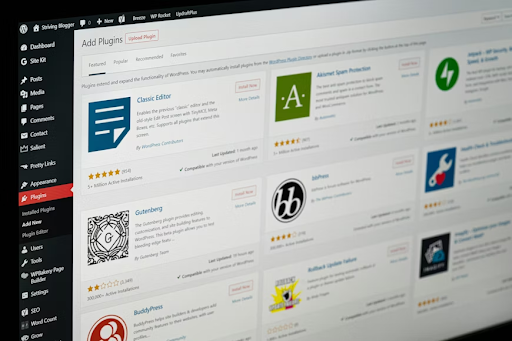
WordPress page builders are essential tools for designing modern websites efficiently. Each builder has strengths. Some offer advanced flexibility; others provide speed and simplicity. Choosing the right one saves time, reduces frustration, and ensures your site looks and performs its best.
If you are ready to get your WordPress site off the ground, My Company Site can guide you. From selecting the best page builder to designing layouts that engage visitors, we help you every step of the way. Contact them and build a from-scratch website with ease.
HOW DO YOU FEEL ABOUT FASHION?
COMMENT OR TAKE OUR PAGE READER SURVEY
Featured





You spend two hundred, three hundred, sometimes five hundred dollars on a perfume from a famous luxury brand.